KREDOLABS

KREDO LABS / INTERACTIVE PRODUCT SYSTEMS

Complex product. Clear decision.

3D configurators and guided selling that turn a catalogue, options and technical rules into an interactive buying decision — from a need to a valid specification, BOM and a complete brief.
  • WebGL
  • Product rules
  • BOM
  • RFQ brief
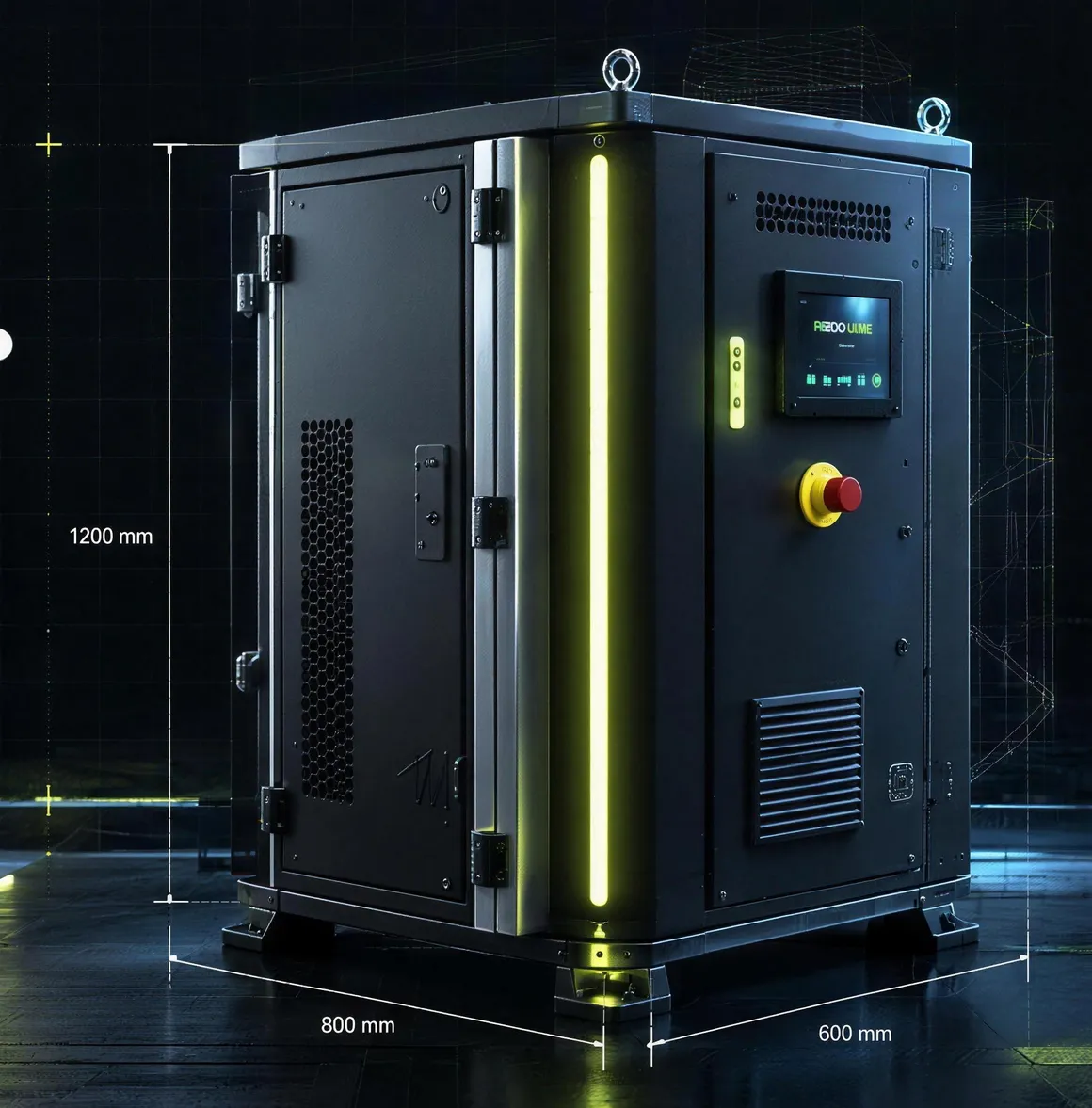
Synthetic concept visual of an industrial cabinet with an HMI panel and sample dimensions
  • Enclosurebody and service doors
  • ControlPLC / HMI
  • Ventilationfiltered louvre
  • Baselevelling feet
  • VariantIE-200 · Sealed Field
  • Demo rulesValid
  • Demo BOM4 items
  1. 3D
  2. Dimensions
  3. Configuration
  4. Materials
  5. BOM
  6. Drawings
CONCEPT DEMO / DEMO_FIXTURE

START FROM THE GOAL

What do you want to achieve?

Start from the outcome, not a parameter table. The choice opens the demo with a ready starting point — you can change every parameter in the next step.

  1. NeedThe buyer starts with the application, not a parameter table.
  2. ConfigurationEach next choice appears only when it becomes relevant.
  3. ValidationExplicit rules show compatibility, conflicts and corrections.
  4. BOMThe result structures a synthetic list of parts and assumptions.
  5. BriefThe context moves into the form without repeating the problem.

DIGITAL PRODUCT THREAD

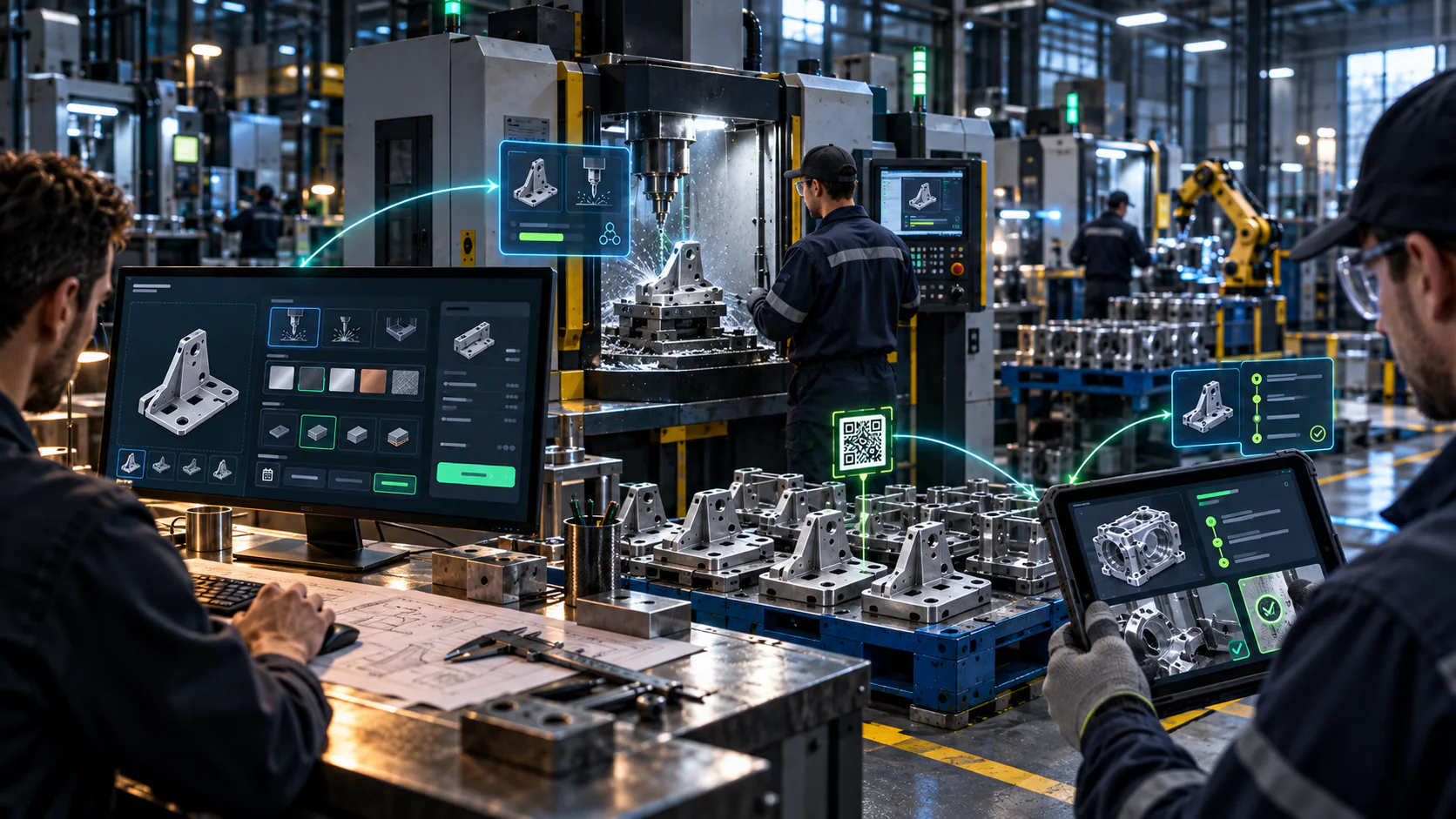
From the CAD model to the machine passport.

One data layer can carry the product through configuration, production, identification and service work — without rebuilding the context at every stage.
Engineers working with a CAD configurator, CNC machine and inspection tablet connected by a digital data flow
01Configuration02Production03QR identification04Service and inspection

Make a decision in a working demo.

Industrial Enclosure is a neutral Kredo scenario. Its data and rules are synthetic, and the result is not engineering approval.

Open the full vertical slice
Interactive systems for complex productsConcept demo · demonstration data

KREDO LABS / INDUSTRIAL PRODUCT SYSTEMS

Complex product.Simple decision.

See how product requirements can lead to a checked configuration, explicit rules and a complete brief — without guesswork.

  • Configuration
  • Rule validation
  • BOM
  • RFQ brief
Industrial Enclosure · Decision Desk Ready to start

Start with a goal — the system picks the parameters.

The 3D model of the demo enclosure changes with the selected parameters.
01 / ConfigureWhere do you want to start?
  1. 01Need
  2. 02Configure
  3. 03Validate
  4. 04Ready brief
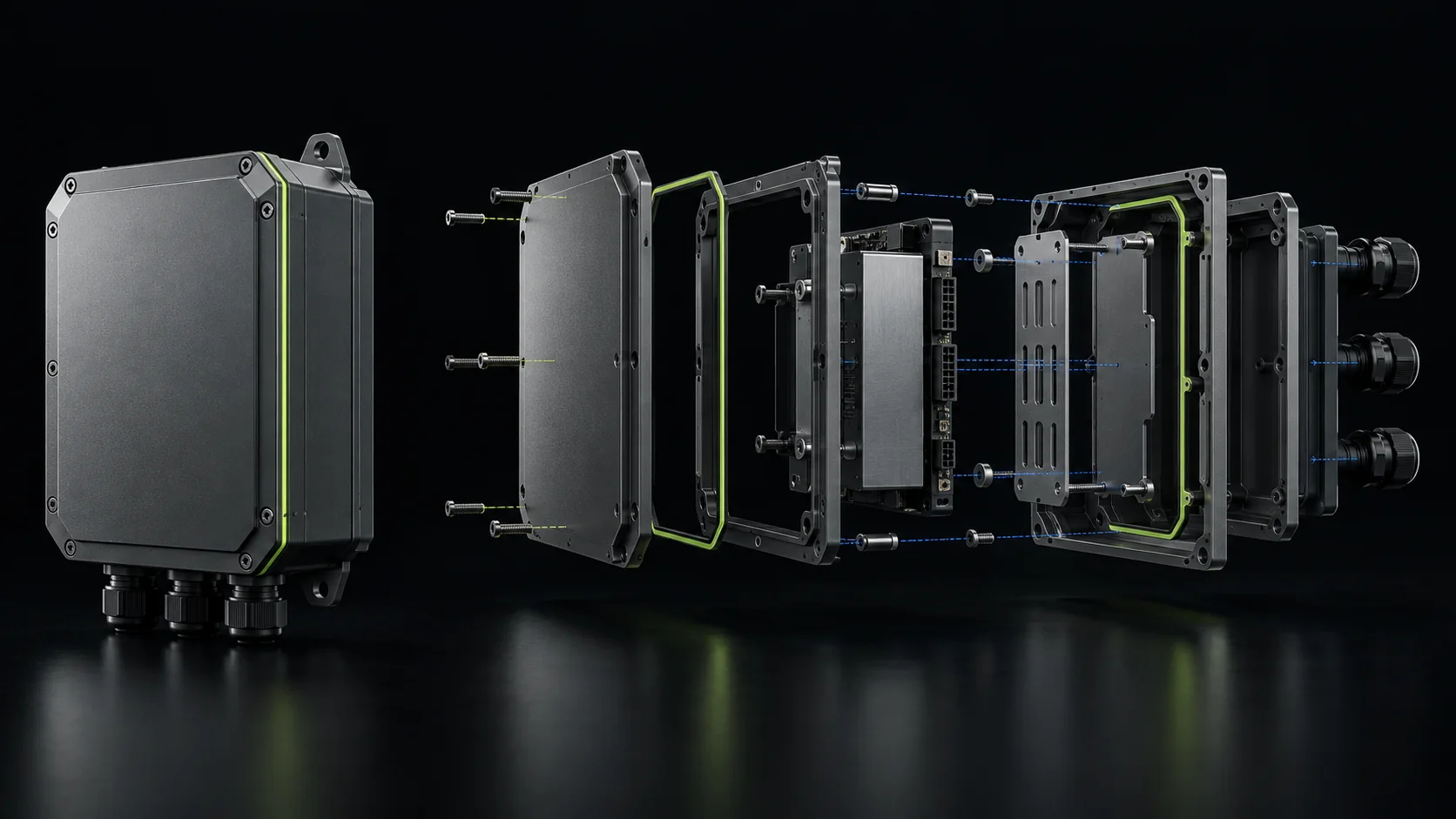
Exploded view of a synthetic industrial enclosure with functional data lines

Every choice has a consequence.

The interface does more than change a product view. It explains compatibility, BOM structure and the scope of further review.

Compatibility

A rule identifies a valid choice or a specific conflict.

BOM

The demonstration list follows from the selected variant.

Engineering review

An uncertain case stays explicitly marked.

HOW I WORK

From an idea
to real outcomes.

I combine strategy, design and technology to create products that help people understand your offer, make decisions and take action.

  1. 01

    Analysis and strategy

    I learn about your product, goals and audience, then define the scope and direction.

  2. 02

    Design and prototype

    I design a clear interface and prototype around your brand and users.

  3. 03

    Development

    I build the application, rules and integrations. You work directly with me.

  4. 04

    Launch and growth

    I launch the product, verify its behavior and develop it around your needs.

FROM CONFIGURATION TO DOCUMENTATION

A choice ends in a specification, not a screenshot.

The sheet below is not an image: it is produced by the same rules engine as the demo, for the “Collect a better RFQ” goal. The same data goes into the request brief.

  1. 01Configurationrequirements and rulesworks in the demo
  2. 02Specification and BOMa technical result sheetworks in the demo
  3. 03Request briefstored and notifiedworks in the demo
  4. 04PDF and ERP/CRM exportafter product data is connectedafter data is connected
DEMO SPECIFICATIONRuleset 0.1.0-demo

Recommendation

IE-200 · Sealed Field

Requirements

Operating environment
Dust and moisture
Equipment envelope
Medium
Protection priority
Weather
Usage mode
Fixed installation

Rationale

  • Accounts for dust and moisture.
  • Fits a medium equipment envelope.
  • Environmental protection is the priority.
  • The variant is intended for fixed installation.

Demo BOM

PartQtyStatus
Sealed shell1×DEMO_FIXTURE
Demonstration insert1×DEMO_FIXTURE
Pressure equalisation valve1×DEMO_FIXTURE
Seal set1×DEMO_FIXTURE

Decision boundary: concept demo, needs an engineering review.

Real scope first. Integrations next.

WORKING IN THE CONCEPT DEMO
  • variant recommendation
  • reasons and conflicts
  • synthetic BOM
  • persisted project brief
AFTER PRODUCT DATA IS CONNECTED
  • pricing and commercial terms
  • PDF or RFQ
  • CRM and ERP
  • production data

Built for the web.

The semantic HTML interface works first. WebGL can enhance the visual layer without blocking selection, validation or the brief.

  1. Next.js UI
  2. Rules engine
  3. Product data
  4. Lead API
  5. OPS / CRM

Is your product too complex for one image and a table?

Show me the catalogue, CAD, spreadsheet or current quoting process. I will design how the buyer should choose.

Show the product